Catch-Tracker helps you record, analyze, and share your fishing catches — species, size, location, weather, and more — all stored privately on your device.
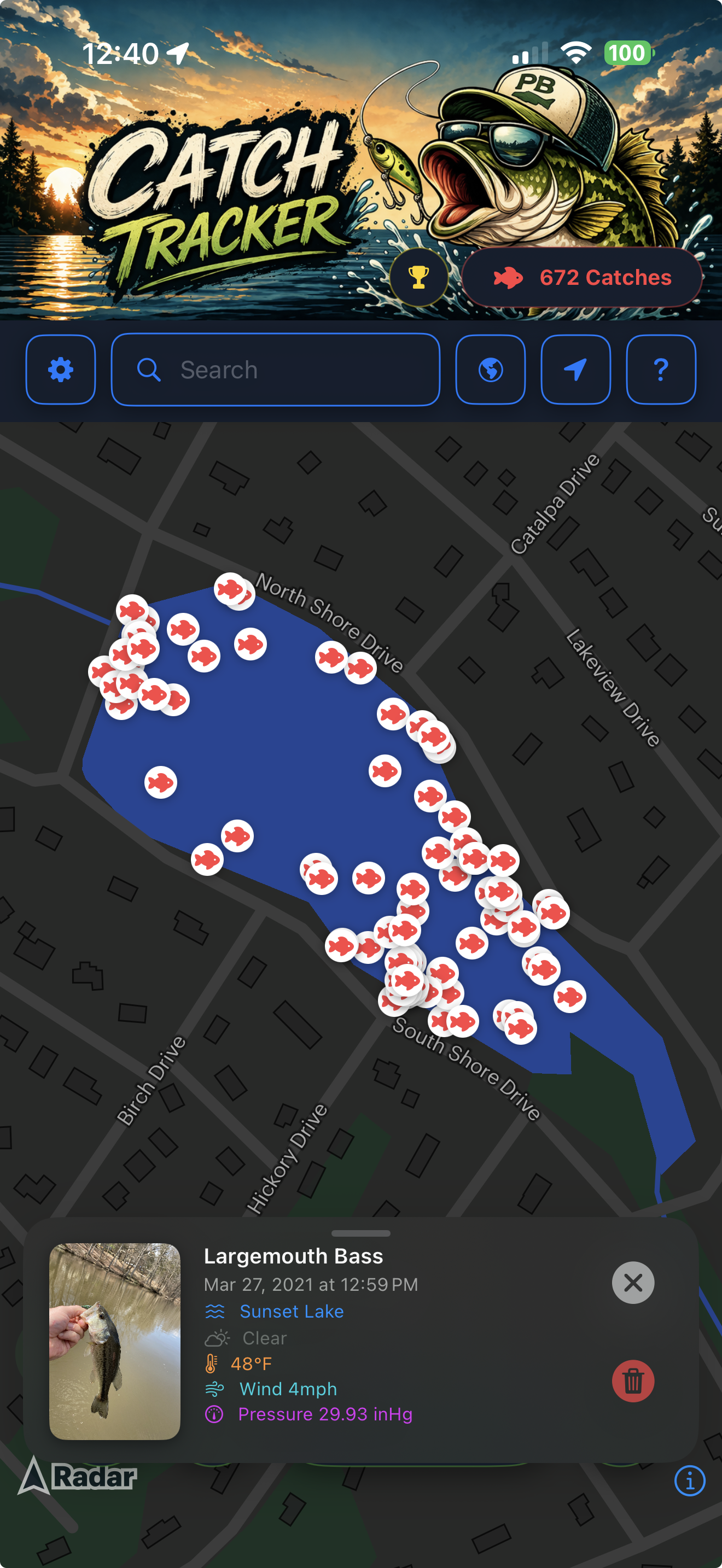
Pin your catch spots on a map. Revisit your best spots and discover patterns over time.
Track personal records, species caught, and seasonal trends with beautiful charts.
Attach photos to every catch and build a visual log of your fishing adventures.
Your catches never leave your device. Everything is stored locally — no accounts, no servers, no tracking.
How-To Guide
Up and running in minutes. Follow these steps to log your first catch.
Install Catch-Tracker from the App Store. No account or sign-up needed — just open the app and you're ready to go. All your data stays on your device from the very first tap.
When prompted, allow Catch-Tracker to access your location. This lets the app automatically pin where each catch was made. You can always adjust location permissions in your device's Settings.
Tap the + Catch button on the home screen. Enter the species, weight, and length. Snap or upload a photo, add any notes (bait used, technique, conditions), then tap Save.
Head to the Stats tab to see your catch history, personal records, and species breakdown. Use the Map view to visualize all your fishing spots at a glance.
Tap any catch entry and hit Share to post to social media or send to fishing friends. To back up your data, go to Settings → Backup and save to iCloud or your Files app — your catches stay under your control at all times.
Support
Find answers to common questions or reach out to our team directly.
Our support team typically responds within one business day.
Legal
This Privacy Policy explains how Catch-Tracker ("we", "us", or "our") handles your information when you use our mobile application and website. We believe your fishing data is yours alone — which is why Catch-Tracker is built to keep it that way.
All catch data you enter — including species, size, weight, notes, photos, and location — is stored locally on your device only. Catch-Tracker does not require an account, does not transmit your catch data to our servers, and does not store any of your catches in the cloud. Your catches are always private.
We do not collect or receive:
If you choose to back up your data, Catch-Tracker lets you save a backup file to iCloud Drive or anywhere in the Files app on your device. These backups are managed entirely by you through Apple's services — we have no access to them. Apple's own privacy policy governs any data stored in iCloud.
Catch-Tracker may request permission to access your device's location to automatically pin the spot of each catch. Location data is saved only to your device and is never transmitted to us or any third party. You can deny or revoke location access at any time in your device's Settings → Privacy → Location Services.
We do not sell, share, or transfer any of your data to third parties — because we never receive it in the first place. The only exception is if you explicitly use the in-app Share feature to share a catch entry yourself.
Because all data is stored locally on your device, you have complete control at all times. You can:
Catch-Tracker does not collect personal information from anyone, including children. The app is safe for all ages. No account or age verification is required.
We may update this Privacy Policy from time to time. Any significant changes will be noted in the app's release notes. Continued use of the app after changes constitutes acceptance of the revised policy.
For any privacy-related questions, reach us at support@arek.fish.